You can apply a promo code when purchasing a subscription in the app. This article explains how promo codes work and what to do if yours isn’t working.
Using promo codes when purchasing Timeleft subscriptions is simple. Follow the steps below after selecting an event and confirming event preferences.
The discount will be clearly reflected on the screen before you complete your purchase.
Steps to add your promo code: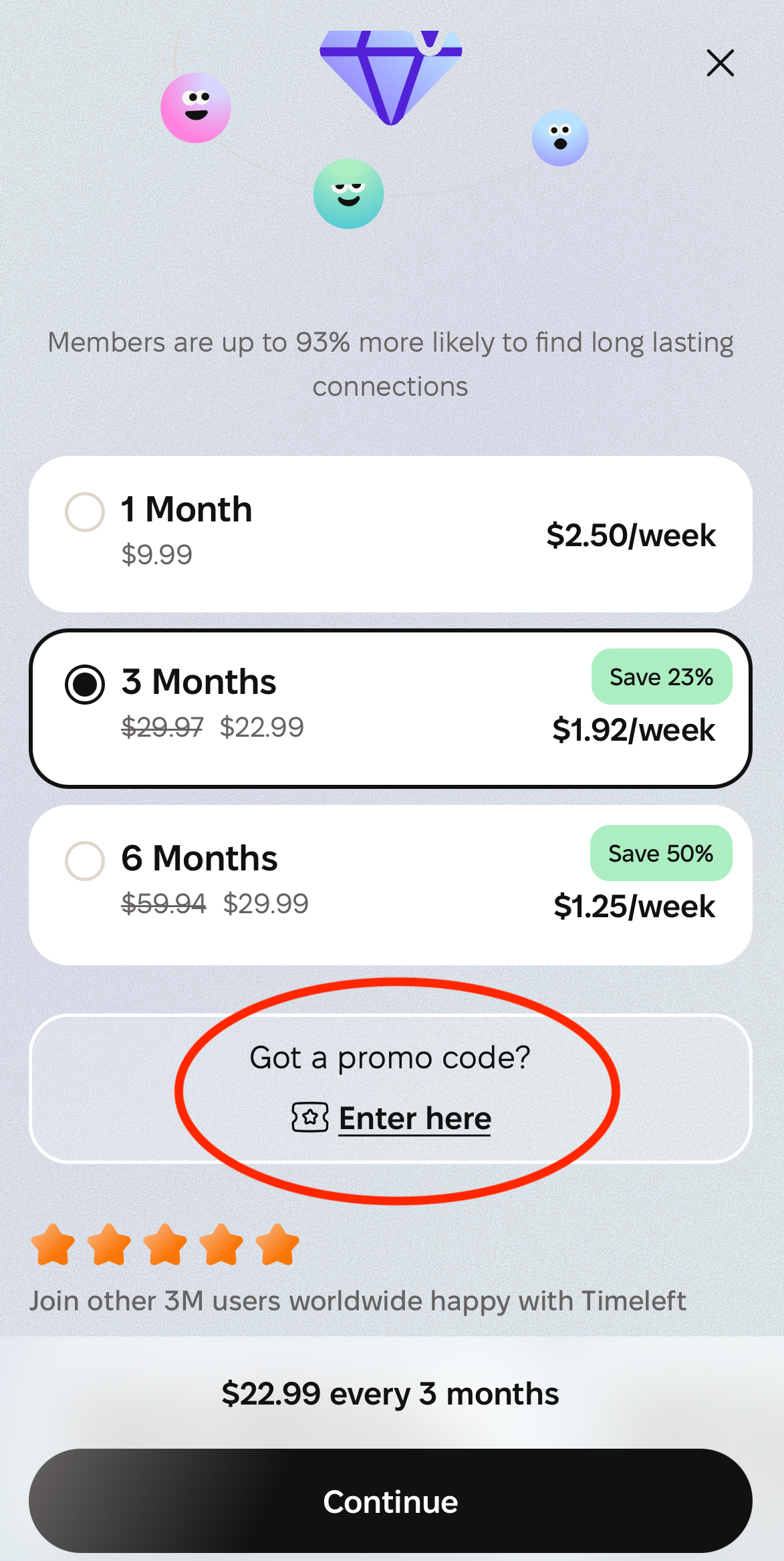
- Go to checkout in the app.
- Enter your promo code in the designated field.
- If the code is valid, the discount will be applied automatically.
- You’ll see the updated total before confirming payment.
- Finish the payment process.
Please note: there is no option to add a coupon to a renewal.
Why isn’t my promo code working?
If your promo code is invalid or expired, you’ll see an error message in the app.
Common reasons include:
- Typos! Please try to copy and paste the code if possible.
- The code has expired
- The code has already been used on your account - promo codes work once per account
- The code doesn’t apply to the product you selected
What should I do if I still need help?
If you're still having trouble, providing the following details helps us quickly resolve your issue.
Please share the following:
- The promo code you tried to use
- The subscription plan that you wanted to purchase
- The platform used (app or web)
- Any screenshots that you have